Why One Logo File Is Never Enough for Signs, T-Shirts and Web
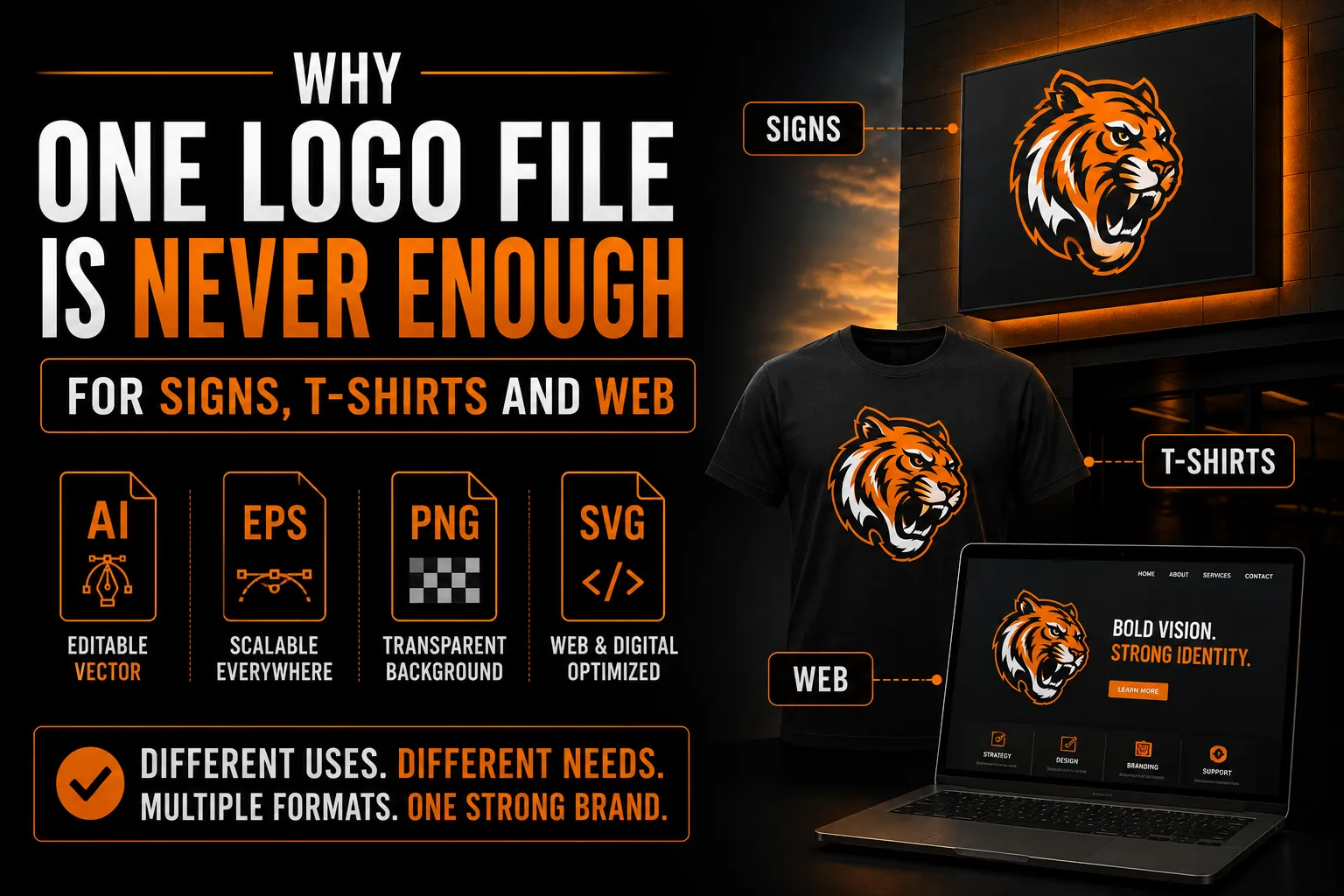
Most business owners have one logo file. They email that same file to the sign company, the t-shirt printer and the web designer, and they assume it will work everywhere. Then the sign comes back blurry, the printer asks for a different format, and the website logo looks heavy and slow. The problem is not your logo. It is that a single file cannot serve every use. This guide explains why a real logo is a small set of files and versions, and what each one is for.
Key takeaways
- Keep your vector master in AI or EPS forever, since every other format and version is generated from it.
- Use an SVG or optimized PNG on your website, since a giant print file slows pages and a web file blurs on a sign.
- Have full color, black and white versions plus horizontal, stacked and icon layouts ready for different spaces.
Different Jobs Need Different File Types
A sign maker cuts and prints at large scale and needs vector files (AI, EPS) that stay sharp at any size. A screen printer needs vector art with clean color separations. A website needs a lightweight, fast-loading file like an SVG or an optimized PNG. These are genuinely different technical requirements. Sending a single web-sized PNG to a sign company is like bringing a bicycle to tow a trailer: wrong tool for the job. The underlying reason is the pixel-versus-vector difference explained in our guide on logo quality at every size.
The Vector Master: Your Source of Truth
At the heart of a proper logo set is the vector master (AI and EPS). Everything else is generated from it. Because vectors are built from mathematical shapes, the master can produce a tiny favicon or a building-sized sign from the same source with zero loss of quality. If you keep only one thing forever, keep the vector master. Without it, you are stuck recreating your logo every time a new need appears.
Get Your Complete Logo File Set
We deliver vector masters plus every format, color and layout version, so you are ready for any supplier.
See vectorization service →Web Versions: Light and Fast
On the web, file size and clarity both matter. An SVG is ideal because it is tiny, scales perfectly and stays crisp on any screen, including high-resolution displays. A well-optimized transparent PNG covers cases where SVG is not supported. Using a giant print file on your website slows your pages down, while using a small web file on a sign produces a blurry mess. Each context wants its own export.
Print and Apparel Versions
Print suppliers often want a PDF or EPS, and apparel printers want vector art with spot colors and a single-color option. These versions ensure your colors stay consistent and your edges stay sharp on physical materials. The gap between what looks fine on screen and what prints well is exactly the issue we cover in our article on why some logos will not print properly.
Color and Layout Variations You Will Need
Beyond file types, you need versions: a full-color logo, a solid black version, a solid white version for dark backgrounds, and layouts such as horizontal, stacked and icon-only. A wide sign suits a horizontal layout, a social profile suits the icon, and a dark hoodie needs the white version. Having these ready means your logo always fits the space cleanly instead of being awkwardly stretched or boxed.
How the Full Set Is Built
If you only have one file, a professional vectorizes your logo into a clean master, then exports every format and creates each color and layout variant. You receive one organized folder that answers any supplier request instantly. This is far more reliable than trying to convert files yourself with auto-tools, which struggle exactly where precision matters most, as discussed in our ChatGPT logo to SVG guide.
The Payoff: No More Awkward Emails
With a complete logo set, you never again get the email asking for a different format, and you never again receive a blurry proof. You send the right file the first time, every time, to suppliers anywhere you do business. That smooth reliability is the practical benefit of proper vectorization, and it saves time and money on every single project.
A Simple File Naming System That Saves Time
Once you own a full logo set, a little organization makes it effortless to use. Name files clearly, for example logo-primary-color.eps, logo-black.svg, logo-white.png and logo-icon.svg, and keep them in one labeled folder. When a supplier asks for a specific format, you find it in seconds instead of hunting through old emails. This small discipline turns your logo files into a reliable toolkit rather than a scattered mess, and it ensures the right version goes to the right job every time, avoiding the blurry-proof problems described in our article on logos that will not print properly.
What to Send Each Type of Supplier
A quick reference helps. Sign makers and large-format printers want vector files like EPS or AI. Screen printers want vector art with spot colors and a one-color option. Embroiderers want a clean, simple single-color version. Web designers want SVG or an optimized transparent PNG. Promotional product suppliers want vector art kept simple for small print zones. Knowing this means you can confidently answer any request, and because every version comes from the same master, your brand stays perfectly consistent no matter how many different vendors you work with.
Future-Proofing Your Brand Assets
New surfaces for your logo appear all the time: a new sign, a uniform, a trade-show booth, a social platform. A complete logo set built on a vector master means you are ready for whatever comes next without scrambling. You will not need to recreate your logo for each new opportunity, and you will not risk inconsistent versions creeping in. Preparing the full set once is a small investment that quietly removes friction from every future branding project, wherever your business grows.
Why a Complete Logo Set Pays Off
Treating your logo as a complete set rather than a single file changes how smoothly your business runs. Every project that involves your brand, a new sign, a uniform order, a website refresh, a booth, becomes a quick send-the-right-file task instead of a small crisis. That saved time and avoided frustration is a genuine business benefit, multiplied across every project for years. Whether you are in Montreal, the broader Quebec region, anywhere in Canada or serving international clients, a full set of files means any supplier anywhere can deliver consistent, professional results. Your brand looks the same everywhere it appears, which is exactly what makes it memorable. The modest, one-time effort of building a complete logo set removes friction from your growth and ensures that as your business expands into new surfaces and markets, your branding is always ready to follow.
The Complete Logo Set at a Glance
It helps to see the full set in one place. A properly prepared logo is not one file but a small, organized toolkit, with each piece serving a clear purpose across your brand.
- Vector masters (AI, EPS): the source for everything, scalable to any size.
- Web files (SVG, optimized transparent PNG): light, fast and crisp on screen.
- Print files (PDF, EPS): sharp output for signage and stationery.
- Color versions: full-color, solid black and solid white for dark backgrounds.
- Layout versions: horizontal, stacked and icon-only for any space.
With this set in one labeled folder, you can answer any supplier request in seconds and keep your brand perfectly consistent everywhere. Building it once removes friction from every future project, which is exactly the payoff our vectorization service is designed to deliver.
Related reading: How to Vectorize a Logo for Screen Printing on T-Shirts and Promo Apparel · Why AI Struggles to Keep Your Logo Consistent Across Brand Materials
Frequently Asked Questions
Why can’t I use the same logo file for everything?
Different uses have different technical needs. Signs and apparel need sharp vector files, while websites need lightweight, fast-loading files. A single web-sized image blurs on signage, and a giant print file slows down a website. Each context needs its own version.
What is a vector master file?
The vector master (usually AI and EPS) is the source file everything else is generated from. Because it is built from mathematical shapes, it can produce a tiny favicon or a huge sign from the same source with no quality loss. It is the most important file to keep.
What logo file is best for a website?
An SVG is ideal because it is small, scales perfectly and stays crisp on any screen, including high-resolution displays. A well-optimized transparent PNG is a good fallback. Avoid using large print files on the web, as they slow your pages down.
What logo versions do I actually need?
You need full-color, solid black and solid white versions, plus horizontal, stacked and icon-only layouts. These let your logo fit any space and background cleanly, from a wide sign to a square social profile to a dark garment.
How do I get a complete logo set if I only have one file?
A professional vectorizes your logo into a clean master, then exports every format and creates each color and layout variant. You receive one organized folder that answers any supplier request instantly.