Vectorize a ChatGPT Logo for Professional Printing
A ChatGPT logo can be vectorized when you need editable shapes, a scalable master or paths for a production process. The work starts with checking your source and intended use. A designer can then rebuild unclear details, correct lettering and prepare the versions your printer, sign maker or web designer needs.
When does your ChatGPT logo need vectorization?
Vectorization is useful when your next application needs editable paths or a scalable master. First ask the supplier what they require. A suitable raster image may work for some printed or digital uses, while cutting and detailed logo editing need a different structure. The source should be inspected before the work is scoped.
What should you send for an accurate quote?
Provide the original image, the exact business name, confirmed colours and the first intended applications. Include a clean reference without perspective effects if you have one. Identify any detail that should be corrected rather than copied, such as an incorrect letter or an unwanted background.
What does the reconstruction involve?
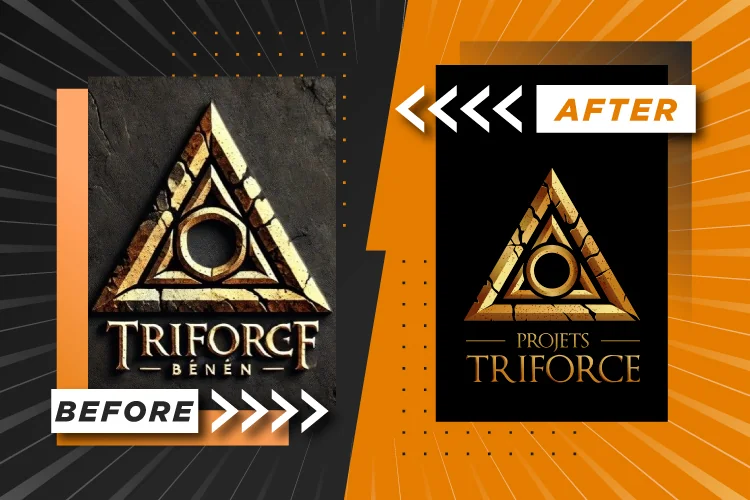
The artwork is traced or redrawn, then checked for proportions, letter spacing, internal gaps and shape quality. Simple marks may suit an automatic starting point. More uncertain details need manual decisions and your approval. The aim is to produce controllable artwork that still matches the concept you selected.
How should you review the result?
Compare the source and vector version on plain backgrounds. Check small size, a single-colour version and the actual production dimensions. Review spelling separately from the overall design. Ask for revisions while you can still compare the master and exports, before sending them into a full print run.
Which deliverables matter for your business?
Agree on an editable master and formats suited to your suppliers. A PDF, SVG or Illustrator document can contain different types of objects, so its contents matter. Embroidery also requires a digitized stitch file prepared for the garment. Keep approved versions clearly named to avoid reusing an outdated preview.