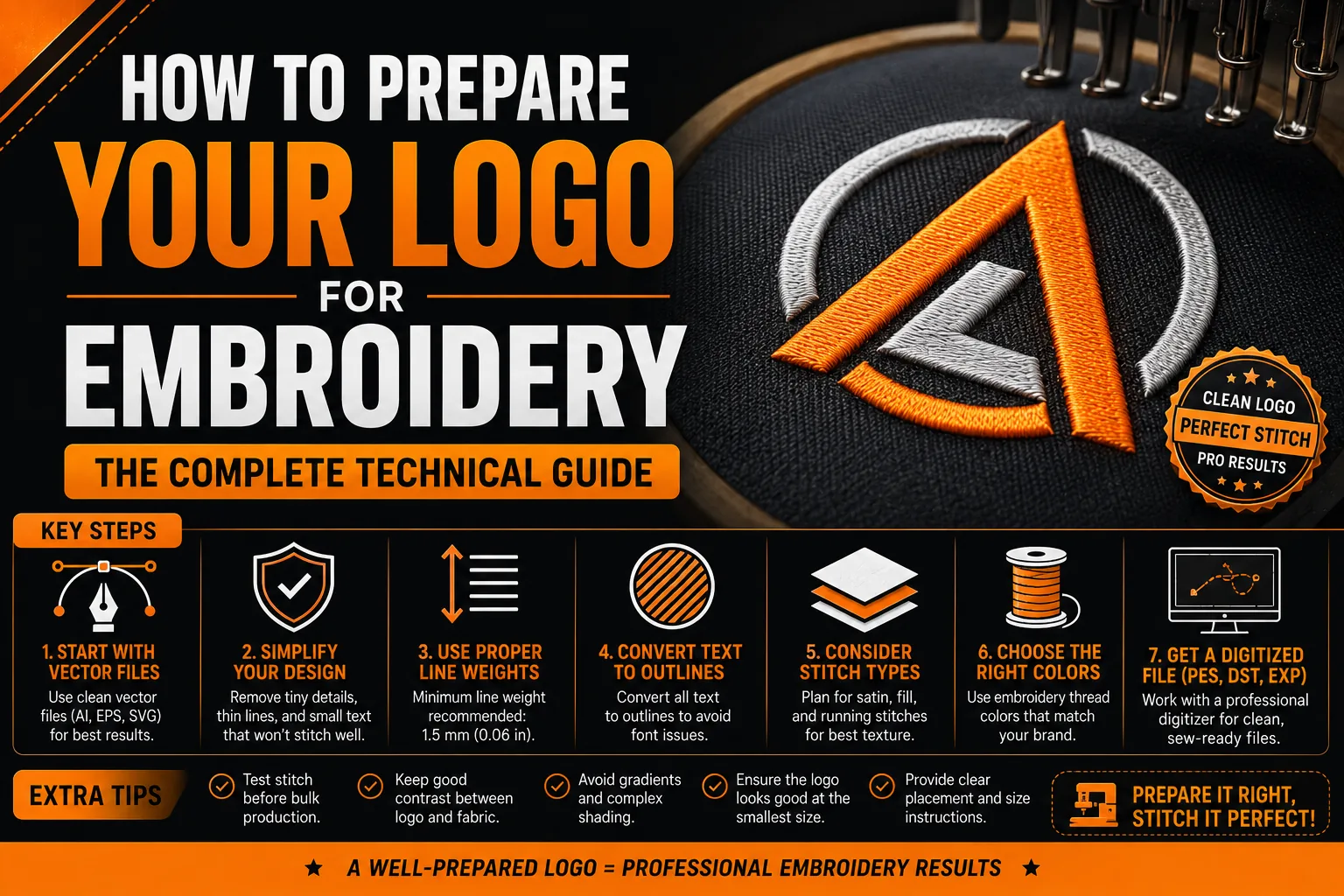
How to Prepare Your Logo for Embroidery: The Complete Technical Guide
Preparing a logo for embroidery means adapting the artwork to stitches, fabric and finished size. Supply your best source file, then have the embroiderer digitize it into the required stitch format. Simplify details where necessary and approve a stitch-out on comparable fabric before ordering the full run of branded garments.
Key takeaways
- Supply your best source file and have the embroiderer digitize it into the stitch format the machines require.
- Save a separate embroidery version of your logo with simplified details for thin lines and small lettering.
- Approve a physical stitch-out on comparable fabric before ordering the full run, as digital mockups can mislead.
Embroidery turns graphic artwork into stitches, so a logo that looks polished on a screen can behave differently on fabric. Thread, garment structure, finished size and digitizing choices all affect thin lines, small lettering and enclosed spaces. Preparing the right source and approving a stitch-out helps protect recognition before a full order is produced. For a related apparel application, see our logo design for gyms and yoga studios. This distinction also gives the business a clear starting point for applying the following guidance to its actual file, channel and intended result.
Why Embroidery Is Technically Demanding on Logo Design
Embroidery reproduces a design with physical thread placed through fabric. Its appearance depends on stitch type, direction, density, thread and the way the material moves under stitching. Printing has its own limits, but they are different from these thread-and-fabric interactions. A smooth image preview therefore does not establish that a logo will retain the same fine details when embroidered.
A logo that works on a card or website may need adaptation for embroidery. Small details can merge, narrow gaps may close and thin strokes may lose definition. There is no single minimum line width that applies to every thread, fabric and stitch method. Ask the embroiderer to assess the artwork at its intended finished size, especially the enclosed spaces in letters such as O, B and D. A test on comparable material shows which details need to be enlarged or simplified.
The File Your Embroidery Shop Actually Needs
The most common source of confusion when ordering embroidery is file format. Embroidery shops need two different types of files at different stages of the process, and they are not the same thing.
For digitizing, the shop needs clear source artwork and the intended finished dimensions. An AI, EPS or SVG containing clean paths can be helpful, but digitizing workflows can also accept suitable bitmap artwork. Ask which formats the shop prefers, and provide the clearest original rather than a compressed screenshot when possible. Pixel dimensions and visible detail matter more than a DPI label alone. Include accurate wording, color references and any approved simplified version so the digitizer can interpret the design correctly.
The stitch file that results from digitizing is in an embroidery-specific format: DST (Tajima), PES (Brother), EXP (Melco), JEF (Janome), or others depending on the machine brand. These machine files are what actually run on the embroidery machine during production. They are not source files, they cannot be easily edited and should not be confused with your master logo files.
Design Adaptations Required for Embroidery Quality
Most logos require specific adaptations for embroidery use. These adaptations should be made by your graphic designer before submitting to the embroidery shop, and a separate “embroidery version” of your logo should be saved as a distinct file.
Fine lines and narrow spaces need assessment at the actual embroidery size. Instead of applying a universal 2 mm rule, ask the digitizer what is reproducible with the selected thread, fabric and stitch type. Some strokes may be thickened, neighboring elements separated or small decorative details omitted. Review these changes against the original identity so the adaptation remains recognizable. A physical sample helps confirm whether the adjustment works on the chosen garment.
Gradient fills present a fundamental challenge in embroidery because thread cannot create true gradients. Gradients must be either converted to solid fills, reproduced using thread blending techniques (which add cost and complexity), or removed from the embroidered version entirely. Discuss gradient handling with your digitizer before finalizing the embroidery design.
Minimum readable text size depends on the lettering, thread, stitch settings and fabric. Thin scripts and intricate serifs can need more space than simpler letterforms. Show the embroiderer the smallest text at the intended size and ask for a sample assessment. A tagline, address or secondary descriptor may need enlargement or omission from the embroidery variant while staying in the versions used for print and screens.
Color Matching in Embroidery
Thread colors are not infinitely variable like printed ink colors. Embroidery thread is available in a finite range of colors from manufacturers like Madeira, Isacord, and Robison-Anton. Provide your brand’s Pantone codes to your embroidery shop and ask them to identify the closest available thread matches. In most cases, a very close match is achievable, but exact color matching to printed or digital output is not always possible.
Request a physical thread card or thread number confirmation before production begins so you can see the actual thread color that will be used rather than relying on digital mockups, which render thread color differently from how it appears on fabric.
Always Request a Stitch-Out Before Full Production
A physical stitch-out sample, a single embroidered item produced before the full run, is an essential step in any professional embroidery order. Digital mockups from embroidery software show a simulation of the stitch pattern, but they do not accurately represent how the embroidery will look on the actual fabric at actual scale. Thread sheen, coverage density, stitch direction effects, and color appearance on different fabric colors all differ between the digital preview and the physical result.
Ask the supplier to include the sample and review stage in its quote and schedule. Approving a stitch-out before the main run gives you a chance to correct density, lettering or color choices while changes are still manageable. Confirm that the test uses a comparable garment or fabric.
Frequently Asked Questions About Logo Embroidery Preparation
What file format does an embroidery shop need?
Provide clear source artwork in a format accepted by the shop, plus the finished dimensions and color references. Vector paths can help, but a suitable raster original may also be accepted. Digitizing creates a separate embroidery file, such as a machine-compatible DST or another required format. Ask the supplier which source and stitch files it needs instead of relying on the extension or DPI label alone.
Why does my logo look blurry or messy when embroidered?
Embroidery blur or messiness is caused by: the logo being embroidered at too small a size for the design complexity, fine details or thin lines smaller than what thread can accurately reproduce, poor digitizing quality, or incorrect stabilizer for the fabric type. Request a revised digitization with simplified design elements and test at a larger size before running the full production order.
How many colors can be embroidered in one logo?
The practical number of colors depends on the shop’s equipment and workflow, and on the appearance you want to achieve. More thread changes can affect preparation and production, but there is no universal limit or fee per added color. Ask the embroiderer to compare the original palette with a reduced version, then approve actual thread references and a sample before ordering.
What is a digitizing fee and why do I have to pay it?
Digitizing is the work of converting source artwork into a stitch plan, including stitch types, sequence, direction, density and settings for the material. The shop should explain this preparation in its quote. An existing design may be reusable, but changes in size, fabric or equipment can require adjustment or redigitizing. Keep the approved files and job specifications, and confirm what is included when ordering again.
What is the minimum size for embroidered text?
There is no universal minimum that guarantees legibility. Font structure, thread, stitch type and fabric all affect how the letters reproduce. Show the shop the text at the intended finished size and ask it to evaluate narrow strokes and enclosed spaces. Approve a stitch-out before the full run; the practical solution may be simpler lettering, larger text or removing a secondary line from the embroidery variant.
Technical sources: Wilcom : artwork and embroidery digitizing