
Digital Catalog Design: How to Build an Interactive Product Showcase That Drives Sales
The static PDF product catalog is becoming a significant competitive liability. While your prospects browse your PDF, they are also browsing competitor websites where clicking on a product opens a detail page, shows it in multiple colors, offers a video demonstration, and connects directly to a checkout. The friction of downloading, opening, and flipping through a PDF is increasingly visible against the zero-friction experience of interactive digital commerce. This guide covers how to design a digital catalog that closes this gap and turns product browsing into measurable sales action.
Key takeaways
- Link catalog products directly to detail pages and checkout to cut the steps where interested prospects abandon.
- Weigh high-resolution images and embedded video against page load speed, especially for viewers on mobile devices.
- Track which products attract clicks but do not convert, as this often points to a pricing or photography problem.
Why Static Catalogs Lose Revenue
The cost of a static catalog is not the printing or the PDF production, it is the gap between a viewer’s interest and their ability to act on it. When a prospect finds a product they want in a PDF catalog, they must then navigate to your website, search for the product, confirm it is in stock, find the current price (which may differ from the catalog), and initiate a purchase sequence that requires multiple steps and page loads. At every step in this sequence, some percentage of prospects abandon the path. The cumulative abandonment between “interested in the product” and “completed purchase” represents real, quantifiable lost revenue.
An interactive digital catalog eliminates most of these steps. The prospect sees the product, clicks it, sees real-time pricing and availability, selects their variant, and adds it to cart without ever leaving the catalog experience. The conversion path from product discovery to purchase action is compressed from 6 to 10 steps to 2 to 3. Research from digital commerce platforms consistently shows conversion rate improvements of 200 to 400 percent when interactive catalog experiences replace static PDFs in the same customer journey.
The Four Levels of Digital Catalog Interactivity
Not every business needs the most technically sophisticated digital catalog. Understanding the four levels of interactivity helps you match the investment to the genuine return available in your specific business context.
Level one is the interactive flipbook, a PDF converted to a page-turning digital experience with clickable hotspots that link to product pages on your website. This is the minimum viable digital catalog improvement over a static PDF. It is easy to produce using platforms like Flipsnack or Issuu, maintains the visual design of your existing print catalog, and adds basic click-through capability and engagement analytics at low cost.
Level two adds embedded multimedia, video demonstrations within the catalog pages, 360-degree product views, and zoom functionality that allows viewers to examine product details not visible at catalog scale. These additions significantly increase engagement time and conversion rates for products where seeing the product in motion or in detail is decision-relevant.
Level three integrates real-time product data, pricing, inventory status, and product variants pulled live from your e-commerce or ERP system. A catalog that shows accurate current pricing and real-time availability eliminates a major source of friction in B2B buying specifically, where pricing varies by customer and order size. This level requires integration with your product data system and is typically built on a purpose-designed digital catalog platform.
Level four adds direct purchase or quote functionality within the catalog itself, add to cart, configure and quote, or contact a sales representative, without requiring the prospect to navigate away from the catalog to take action. This is the highest-conversion digital catalog format and is appropriate for businesses with high catalog-to-purchase volume and the technical infrastructure to support it.
Design Principles for High-Converting Digital Catalogs
Digital catalog design must balance visual richness with technical performance. Every additional second of page load time reduces the percentage of viewers who stay long enough to engage with the content, research shows that pages taking longer than three seconds to load lose more than 40 percent of visitors before the content is fully visible. Design decisions that add visual richness, high-resolution images, embedded video, interactive elements, must be weighed against their impact on load performance, particularly on mobile devices where connection speeds vary.
Product photography is the single most important visual element in any digital catalog. High-quality, consistent photography across all products communicates brand quality and makes comparison between products intuitive. Inconsistent photography, different lighting, different backgrounds, different scales, creates a chaotic visual experience that reduces perceived product quality regardless of the actual quality of what is being sold.
Navigation design in a digital catalog must be immediately intuitive. Categories should be accessible from any page without requiring return to a home page. Search functionality within the catalog dramatically improves the experience for prospects who know what they are looking for. And the path from any product view to the action step, add to cart, request quote, contact sales, should be visible and accessible without scrolling.
Measuring Digital Catalog Performance
The significant advantage of digital catalogs over print is measurability. Every interaction with a digital catalog generates data: which pages were viewed, which products were clicked, how long each product was examined, which items were added to wishlists or carts, and what percentage of catalog sessions resulted in a purchase or contact. This data enables continuous optimization, identifying which products attract attention but do not convert (a pricing or photography problem) versus which products convert but attract little initial attention (a discovery or placement problem).
Establish baseline metrics in the first month of deployment and review them monthly. Products with high click-through rates but low conversion are candidates for improved photography, better descriptions, or pricing adjustment. Pages with high bounce rates signal that the content is not meeting the expectation created by the navigation element that brought the viewer there. The data is immediately actionable in ways that print catalog performance never can be.
Frequently Asked Questions About Digital Catalog Design
What is the difference between a PDF catalog and an interactive digital catalog?
A PDF catalog is a static document offering no interactivity beyond scrolling. An interactive digital catalog allows viewers to click on products to view detail pages, watch embedded videos, select variants, check real-time inventory and pricing, and add items directly to a shopping cart. Interactive catalogs also provide engagement analytics showing which products attracted the most viewer attention, data that PDF catalogs cannot provide.
What platform should I use to create a digital catalog?
For simple interactive flipbook catalogs, Flipsnack, Issuu, and Calameo are accessible options requiring no coding. For sophisticated catalogs with real-time pricing and inventory integration, platforms like Threekit or custom e-commerce development are appropriate. For B2B sales teams needing configurable product presentations, tools like Showpad or Seismic serve this use case well.
How should products be photographed for a digital catalog?
Digital catalog photography requires consistent lighting, background, and scale across all products. On-white photography, products against a pure white background, is the standard for most applications because it is versatile, professional, and consistent. Lifestyle photography showing the product in use significantly increases engagement and conversion rates for apparel, home goods, and lifestyle products.
How do I measure whether my digital catalog is driving sales?
Measure through engagement metrics (average session duration, pages viewed per session, product click-through rates) and conversion metrics (cart add rate, purchase completion rate, quote request rate). Compare against your previous static PDF catalog benchmarks to quantify the specific impact of the interactive format. Most digital catalog platforms provide built-in analytics.
Should a digital catalog replace a printed catalog?
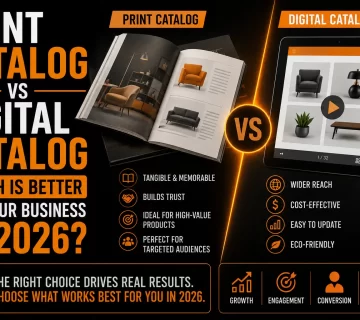
For most businesses, the optimal approach is to maintain both formats serving different purposes. Digital catalogs serve online discovery and digital sales conversations at zero marginal cost per recipient. Printed catalogs serve trade show distribution and situations where a physical object creates a stronger brand impression. The content can largely be the same while the format serves the specific context of each interaction.