My Logo Looks Blurry on Signs: Why It Happens and How to Fix It
A blurry logo on a sign may come from too few pixels for its printed size, an enlarged preview or a poor source file. Check the original with your sign supplier before replacing it. For lettering and flat shapes, a clean vector master often solves scaling problems; photographs need sufficient image resolution.
When a finished sign looks softer than expected, compare the original logo, supplier proof, production dimensions and final result before exporting another file. A small raster source is one possible cause, but scaling or another production step may also be responsible. Locating the point where detail was lost helps the sign maker and designer choose a correction that addresses the real problem. This distinction also gives the business a clear starting point for applying the following guidance to its actual file, channel and intended result.
The Root Cause: Raster vs. Vector Files
Logo files can contain raster images, vector paths or a mixture of both. Understanding those objects helps you discuss the source and the finished dimensions with your supplier.
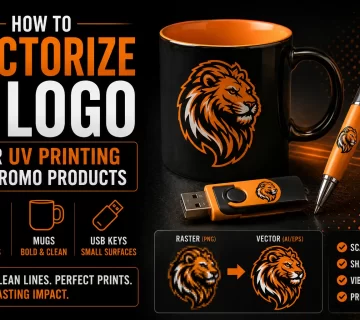
A raster image is a grid of pixels with a fixed width and height. Its effective resolution in print is commonly expressed as pixels per inch, or PPI, at a chosen physical size. DPI refers to the output device’s dots and is not interchangeable with the amount of source detail. Enlarging a small image can expose its limited resolution; resampling calculates additional pixels but does not guarantee faithful missing detail. Common raster formats include JPEG, PNG, GIF, BMP, TIFF and WebP.
Vector paths describe shapes with points and curves. Resizing those paths does not add pixels, which is useful for logos and lettering used at several sizes. However, a technically sharp shape can still be too fine to reproduce on a particular material. AI, EPS, SVG and PDF can contain vector artwork, but may also include raster objects. Inspect the contents and the intended process rather than treating an extension as a guarantee of perfect output.
If your logo exists only as a PNG or JPEG, it is a raster image with a fixed resolution ceiling. Enlarging it beyond that ceiling produces the blurry result you have experienced.
Why Increasing the Resolution Doesn’t Fix It
Changing a resolution label from 72 to 300 does not by itself create more image detail. With resampling disabled, it changes the relationship between pixels and physical dimensions. With resampling enabled, the software calculates additional pixels, which may smooth the result but cannot establish the exact original geometry of missing details. An AI enlargement may also alter lettering. Compare the actual pixel dimensions and appearance before and after, then ask the supplier to assess the finished size. For a related example, see our guide to the logo files needed for signs, shirts and the web.
How to Tell if Your Logo is Vector or Raster
The extension is a starting point: JPEG and PNG are raster formats, while AI, EPS, SVG and PDF may contain vectors, raster images or both. Open the file in an appropriate editor to inspect what is actually present.
Zooming can reveal rough edges, but it is not a complete test. Some viewers rasterize previews, and a high-resolution image can look smooth for a while. Select the objects in a vector editor, check for editable paths and identify embedded images. Then compare the artwork at the intended production size.
When Professional Vectorization Is the Right Solution
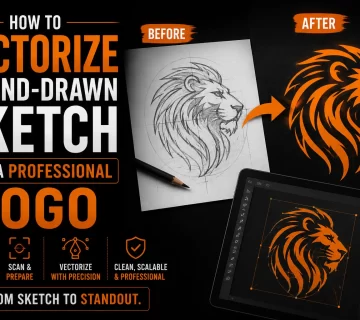
For lettering and flat shapes built from a weak raster source, vectorization can create a clearer master. A designer traces or redraws the logo, resolves ambiguous details and compares the result with the approved identity. The goal is accurate geometry and usable variants for the intended applications, not simply a new file extension.
The resulting master can support AI, EPS, SVG or PDF exports according to the recipient’s needs. Send the appropriate version to your sign maker or other supplier with the intended size and color references. Embroidery requires separate digitizing, and some reproduction methods need a simplified variant. Approve the relevant proof before the full production run.
Automatic tracing can work for clear, high-contrast artwork, while soft edges, gradients or small text may need manual correction. Compare the actual trace with the source before choosing a full redraw. An experienced designer can identify where reconstruction improves fidelity and where existing shapes are already usable; both routes still need production checks.
What to Provide Your Sign Supplier
Ask the supplier which format and export settings match the job before sending the artwork. Provide the approved vector master or suitably prepared raster file, the intended dimensions and any color references. Check whether the sign includes photographs, cutting paths or special details, then review the proof at the planned size.
Frequently Asked Questions About Blurry Logos
Why does my logo look blurry when I print it large?
A raster source may have too few pixels for the finished dimensions, or the file sent may be only a preview. Compare the original and proof with your supplier. Flat logos may benefit from vector reconstruction; photographic elements need adequate raster resolution. The right correction follows the diagnosis.
What file format does a sign company need?
It depends on the sign and production process. Cutting needs suitable paths, while printed graphics can include vector and raster elements. Ask for the required AI, EPS, SVG or PDF settings, or the necessary raster dimensions. A correctly prepared raster image is not automatically unsuitable for large-format printing.
How do I know if my logo is a vector or a raster file?
Inspect the objects in a vector editor. Paths have editable points; embedded images remain pixels. The extension is only a clue because AI, EPS, SVG and PDF may combine both. Zooming helps reveal defects but does not replace this object-level check.
Can I fix a blurry logo myself without hiring a professional?
You may be able to locate a better original or correct a simple trace if you have the relevant skills. Increasing a resolution label alone will not recover detail. If the lettering or geometry needs deliberate reconstruction, a designer can prepare and review a more reliable master with your supplier.
How much does logo vectorization cost?
Ask for a quote based on the source, lettering, complexity, required variants and file formats. Confirm whether the work includes correction of ambiguous details, a review stage and the exports your supplier requests. A simple trace and a careful reconstruction are different scopes, so compare the actual deliverables rather than a universal price range.
Technical sources: Adobe : raster and vector files