AI-Generated Logo Ideas and Packaging Concepts
Short answer: yes, absolutely. Tools like ChatGPT, Midjourney, DALL·E, and Adobe Firefly can spit out dozens of logo directions and packaging mockups in the time it takes to brew a coffee. They’re brilliant for brainstorming, exploring style directions, and presenting options to clients or co-founders.
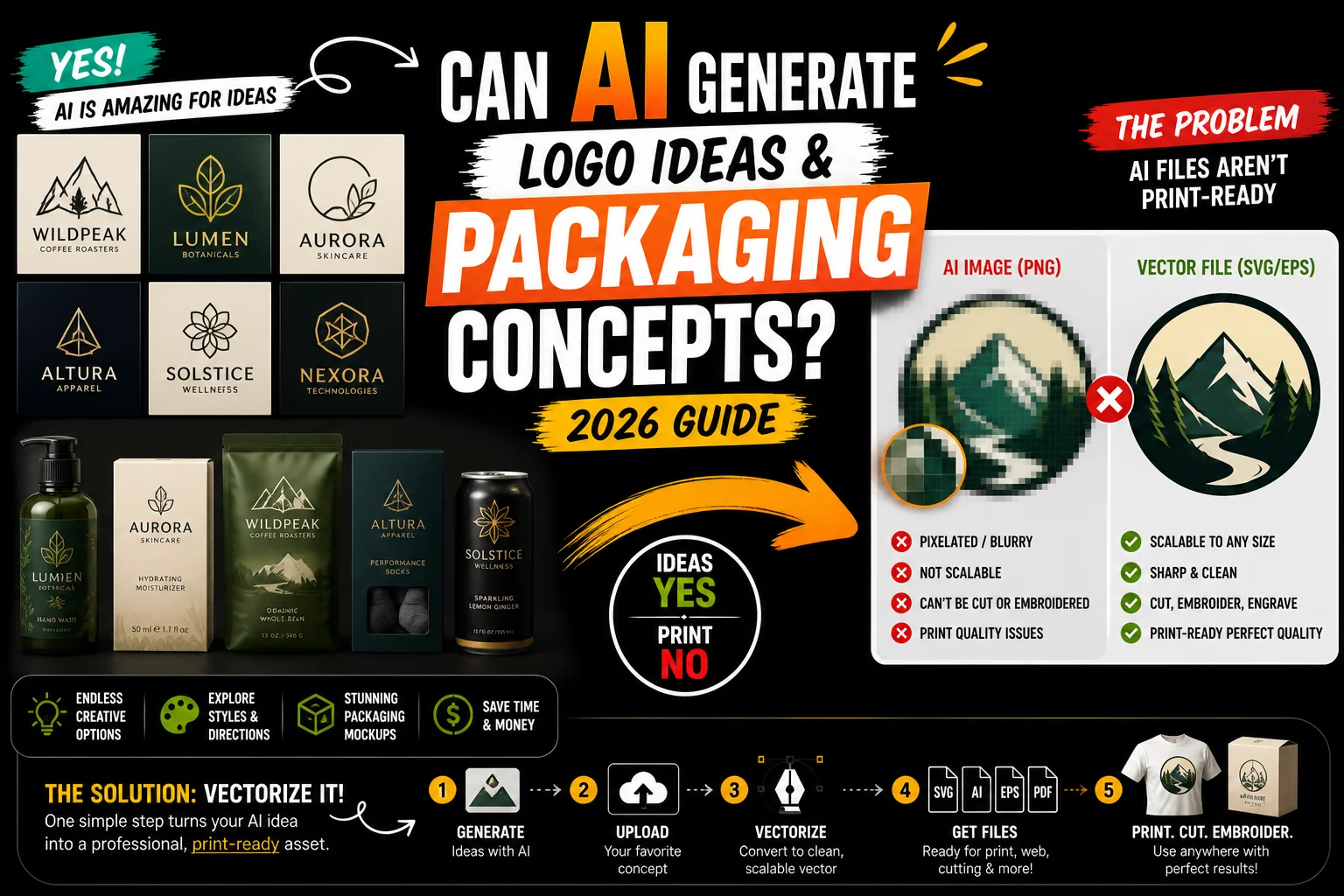
But here’s the part nobody tells you upfront: the moment you try to actually print one of those AI-generated logos on a t-shirt, business card, vinyl banner, or product box, you’ll hit a wall. The files AI tools produce aren’t built for production. They’re pixel images (PNG, JPG), not the scalable vector files printers, embroiderers, and manufacturers need.
This guide walks you through what AI can really do for your branding, where it falls short, and the one step you need to add to take an AI concept from “nice idea” to “production-ready asset.”
What AI Can Actually Do for Logo and Packaging Design
Modern generative AI is remarkable at the ideation phase of branding. If you know how to prompt it well, you can get:
Dozens of logo directions in minutes. Type “minimalist logo for an artisan coffee roaster, mountain motif, earthy color palette” into ChatGPT (with image generation) or Midjourney, and you’ll get four to eight concepts instantly. Refine, iterate, narrow down.
Mood boards and style exploration. AI is excellent for figuring out what direction you want to go before committing. Vintage botanical? Y2K maximalism? Brutalist sans-serif? AI can show you what each looks like applied to your brand.
Packaging mockups. Give the AI a product description and a style brief, and it’ll mock up bottles, boxes, pouches, cans, jars, all with your concept applied. Great for pitching investors or testing reactions before you commit.
Variations on a theme. Once you have a direction you like, AI can generate fifty variations of the same logo idea so you can pick the strongest expression.
Color palette suggestions. AI is decent at proposing color systems and can show you the same logo across multiple palettes side by side.
For a small business owner, freelancer, or startup founder who can’t afford a $5,000 brand agency engagement, this is genuinely transformative. You can do real, productive design work without ever opening Illustrator.
Where AI Hits a Hard Wall
Now the bad news. The wall isn’t about creativity or quality of the ideas. It’s about the file format.
Every image AI tools generate is a raster image, a grid of pixels. PNG, JPG, WebP. These work fine on a screen at the size they were generated. But:
- Try to scale them up for a billboard or a large banner, and they go blurry and pixelated.
- Try to embroider them on a hat or polo shirt, and the embroidery shop will tell you they need a vector file.
- Try to print them on a vinyl banner, a sticker, a t-shirt with screen printing, or a product label, and any decent printer will reject the file or charge you to convert it.
- Try to laser-cut, vinyl-cut, or CNC them, and the machine literally cannot read a pixel image. It needs paths.
- Try to use them across different sizes (business card, website header, storefront sign), and you’ll need to recreate everything for each size.
Professional print, manufacturing, and fabrication workflows run on vector files, mathematical descriptions of shapes that scale infinitely without losing quality. The standard formats are SVG, AI (Adobe Illustrator), EPS, and PDF (when properly built as vector).
AI tools, with very few exceptions, do not produce these. They produce flat pixel images.
“But ChatGPT Said It Made an SVG…”
A common confusion: when you ask ChatGPT to “create an SVG of a logo,” it can write SVG code. Sometimes that code renders something that vaguely resembles what you asked for. Most of the time it looks like a child drew it with a ruler.
This is because SVG generation isn’t the same task as image generation. ChatGPT is writing code blind, no visual feedback, no spatial reasoning, just text predicting what shapes might look right. The results are almost never usable for a real brand.
Image generators like DALL·E and Midjourney produce far better-looking output, but they only export raster files. So you’re stuck:
- Beautiful image, wrong format (DALL·E, Midjourney output)
- Right format, ugly image (ChatGPT writing SVG code directly)
Either way, you don’t have a print-ready logo.
The Missing Step: Professional Vectorization
This is where the workflow most people miss comes in. The complete process looks like this:
- Generate concepts with AI. Use ChatGPT, Midjourney, DALL·E, Firefly, whatever you like. Iterate until you have a winner.
- Export the chosen concept as a high-res PNG. Get the largest, cleanest version the tool will give you.
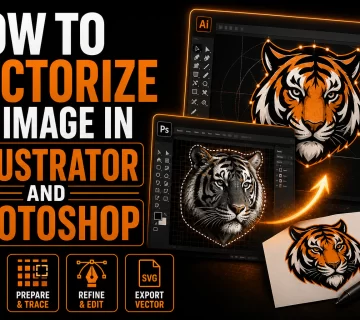
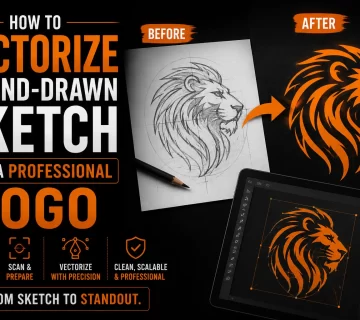
- Have the PNG professionally vectorized. A vectorization service redraws your AI logo as clean, scalable vector paths, ready for any production use.
- Receive print-ready files. SVG, AI, EPS, PDF, whatever format your printer or manufacturer needs.
The vectorization step is what bridges the gap between “AI made me a cool logo” and “my branded packaging just shipped to 500 customers.”
There are auto-tracing tools out there (Vector Magic, Adobe Illustrator’s Image Trace, free converters) and they can sometimes work for simple, high-contrast designs. But they tend to fail on:
- Logos with gradients or shadows (very common in AI output)
- Anti-aliased edges (every AI image has these)
- Small text that needs to remain crisp
- Complex illustrations with fine detail
- Anything where the “feel” of the original needs to be preserved
For anything you actually plan to put on a product, a hand-redrawn vectorization by a designer produces dramatically better results than any auto-trace.
How to Brief AI for Logo Concepts (So Vectorization Goes Smoothly)
If you know in advance that your AI concept will be vectorized, you can prompt the AI to produce designs that vectorize well:
Keep it simple. “Minimal,” “flat,” “two colors,” “no gradients,” “clean line art” all produce designs that translate to vector beautifully.
Avoid photographic effects. Gradients, drop shadows, glows, and texture overlays are hard to recreate in vector and rarely look as good after conversion.
Think in solid colors. Tell the AI “maximum 3 solid colors, no gradients.” The simpler the color logic, the cleaner the final vector.
Skip overly fine detail. A logo with 47 tiny stars is going to lose those stars when scaled down to a business card anyway. Bold, distinctive shapes work best.
Generate at high resolution. The bigger and cleaner the source image, the better the vectorization will be.
For packaging concepts, the same rules apply. You can use AI to mock up a finished package design with all the trimmings, but the logo and key vector graphics on that packaging should be designed with simplicity in mind, knowing they’ll be redrawn as vectors before going to print.
Real Workflow Example
Let’s say you’re launching a small candle company. Here’s how the AI + vectorization workflow plays out:
Day 1. You spend an evening with ChatGPT and Midjourney generating logo directions. You explore botanical, geometric, vintage, and modern minimal. You land on a clean line-art moth illustration with a custom wordmark.
Day 2. You generate twenty variations of the moth-and-wordmark concept until you have one that feels right. You also use AI to mock up your candle label, your shipping box, your Instagram grid, your website header, all to see if the brand holds up across applications.
Day 3. You export the final logo as a high-resolution PNG and send it to a vectorization service. Within 24 hours, you get back a folder with SVG, AI, EPS, and PDF versions, plus single-color and reversed versions for different print scenarios.
Day 4. You send the vector files to your label printer, your shipping box manufacturer, and your screen printer for branded merch. Everything prints perfectly at every size.
This workflow used to require a designer at every step. Now, AI handles the creative exploration and you only need the vectorization step at the end, which makes it dramatically faster and cheaper than the traditional process.
When You Should Skip AI and Hire a Real Designer
AI is incredible for many situations, but not all. Hire a human designer when:
- You’re building a brand you intend to scale into a major company.
- Your industry has design conventions AI tools don’t understand well (medical, legal, financial, regulated industries).
- You need brand strategy, not just visuals (positioning, voice, messaging architecture).
- You want true originality. AI is trained on existing designs, so its output tends toward the average. A skilled designer can give you something genuinely distinctive.
- You need ongoing design support (campaigns, social, packaging extensions). A relationship with a designer pays off long-term.
For a side hustle, a microbrand, a quick MVP, a personal project, or a brand in early experimentation, AI plus vectorization is more than enough.
Get Your AI Logo Print-Ready
If you’ve already generated a logo or packaging concept with AI and you’re ready to actually use it, the next step is getting it vectorized. That’s the service we provide. You send us your AI-generated PNG, we hand-redraw it as clean, scalable vector files in every format you need, and you get back production-ready artwork within 24 hours.
Whether you’re printing a single business card or rolling out a full packaging line, vectorized files are the difference between a logo that looks great everywhere and one that looks great only on the screen it was born on.
AI gave you the idea. Vectorization gives you the asset.